Lustro


Lustro is a debugging library for the debug builds of an Android app. It runs a
small web server in the app's process and shows the app's data as tabs in a
desktop browser. Every tab is also a JSON API, so AI agents, scripts, and the
lustro command-line tool can use the same data without a browser.
Pre-1.0
Lustro is pre-1.0. Until 1.0.0, a minor version, such as 0.2.0, can
change the Kotlin API and the HTTP API in ways that are not compatible.
The CHANGELOG
lists each change.
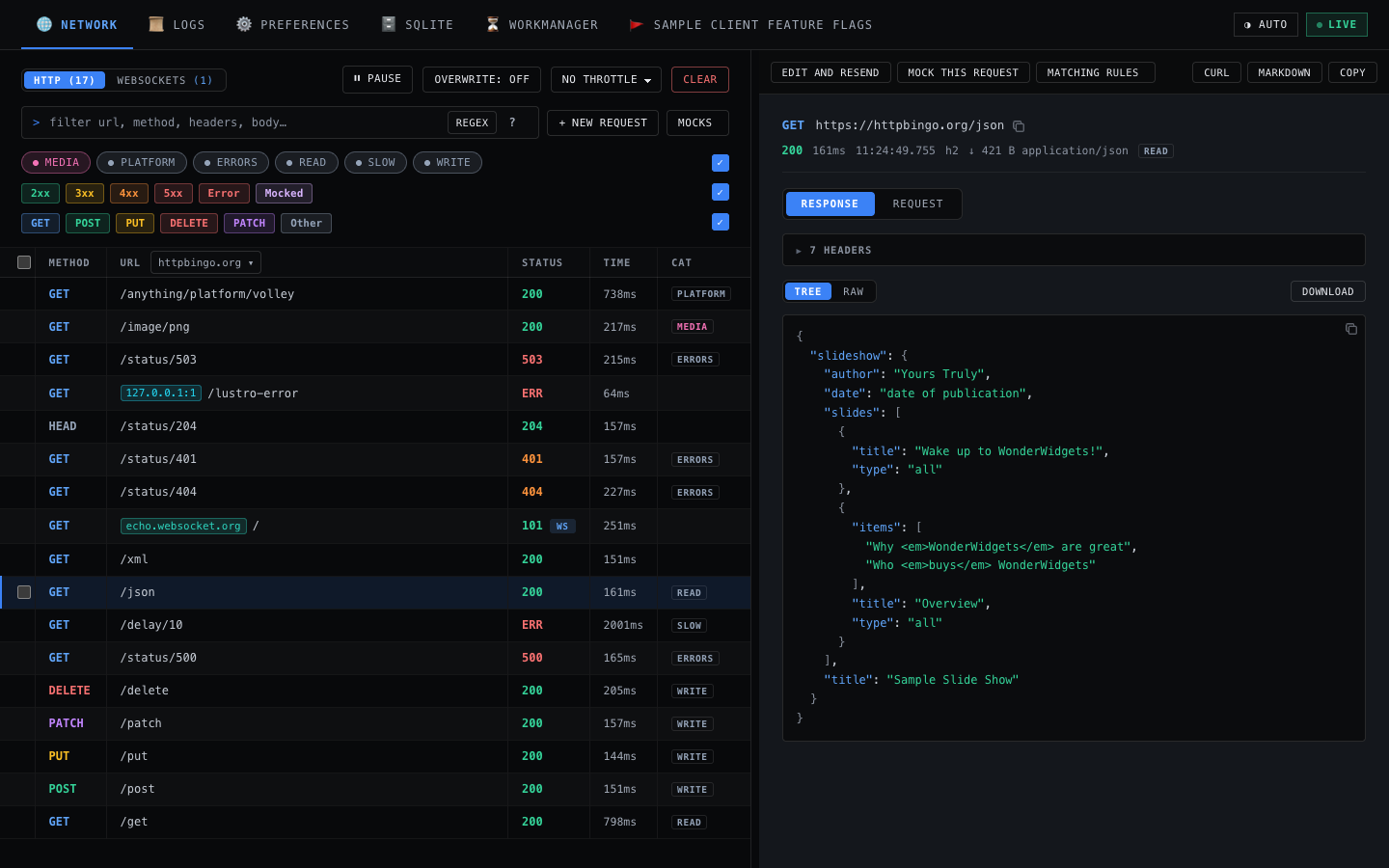
What you get
| Tab | What it shows and does |
|---|---|
| Network | Captures OkHttp traffic, the messages of WebSockets, and, when you opt in, HttpURLConnection traffic. Mocks responses, throttles requests, sends requests through the app's own clients, and exports HAR files. |
| Logs | The app's own logcat, with filters for level, tag, text, and time. |
| Preferences | Reads and edits the app's SharedPreferences and Preferences DataStores. |
| SQLite | Reads the app's SQLite and Room databases, and runs SQL. Writes only to the databases that the app allows. |
| WorkManager | The app's work, the events of each run, and Cancel and Prune. |
| Screen | For agents and scripts, through the API only: every window of the app and the UI tree in each, the classic Views and the Compose semantics nodes, read in the app's process in milliseconds. |
| Your own tabs | A DebugTab subclass with JSON routes and, if you want, a view in the browser. |
The Network tab is built in: it is in the main artifact, lustro. Logs,
Preferences, SQLite, WorkManager, and Screen are plugins, each with an artifact
of its own.
A release build gets no server. Each artifact has a no-op half with the same
API and empty method bodies: you add the runtime with debugImplementation
and the no-op half with releaseImplementation, and the same code compiles
for both build types.
Quick start
-
Add the runtime for debug builds and the no-op half for release builds, in the app module's
build.gradle.kts. The artifacts are on Maven Central: -
Build Lustro once, in
Application.onCreate(), add its interceptor to your OkHttp client, and start it on the main thread: -
Run the debug build, keep the app in the foreground, and open the console. Forward the port and read the token:
adb forward tcp:8080 tcp:8080
adb logcat -d -s LustroToken      # Lustro ready endpoint=... token=<token>
Then open
http://localhost:8080/#lustro_token=<token>in a desktop browser. ThelustroCLI does these steps with one command,lustro open.
Lustro needs minSdk 24, compileSdk 35, Android Gradle Plugin 8.6, and
Kotlin 2.0. It does not raise the versions of your app's own dependencies: see
Minimum versions.
Next steps
- Install: the version catalog, the minimum versions,
and the
lustroCLI. - Check the integration: what shows that capture works and that the release build has no runtime.
- Network tab: capture setup, WebSocket messages, Send Request, export, mock rules, and other HTTP clients.
- Plugins: the Logs, Preferences, SQLite, WorkManager, and Screen tabs.
- Custom tabs: your own tab, and the styleguide for its view.
- Agents and automation: the
lustrotool, token discovery, and the HTTP routes of each tab. - How Lustro works: the server, the port forward, the token, and the parts of a tab.
- Security model, Release safety, and Troubleshooting.
- Kotlin API reference: the public API of each published module, generated by Dokka.